Yokaro: A Cheerful Font for Creative Web Design
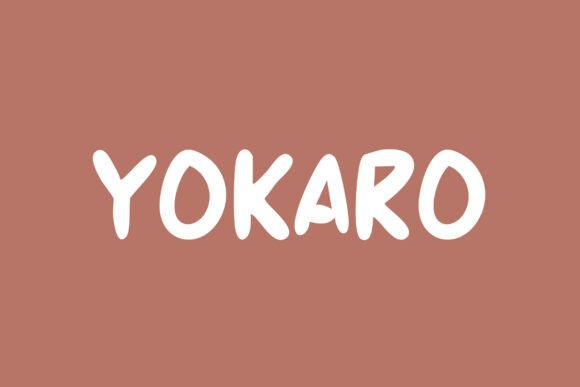
As a web designer, I’m always on the lookout for fonts that bring personality to digital projects without sacrificing readability. Yokaro, part of the Script Amp collection, has quickly become one of my go-to choices for adding a playful yet professional touch to website layouts. Its natural handwritten feel and lively strokes make it ideal for headers, call-to-action buttons, and other display elements where visual appeal matters most.
Testing Yokaro in Real Web Projects
Recently, I was working on a boutique online store for a handmade soap brand. The client wanted a design that felt warm, inviting, and slightly whimsical—perfect for a product that’s all about self-care and creativity. I tried Yokaro on the hero section, using it for the main headline and tagline. The font added just the right amount of charm without overwhelming the clean, modern layout.
One of the first things I noticed was how well Yokaro works with bold colors and minimal backgrounds. On a dark background, the font stood out clearly, while on a light backdrop, it maintained its friendly presence without appearing too busy. It also handled different screen sizes smoothly, making it a solid choice for responsive web design.
Using Yokaro for Web Headers and Call-to-Action Elements
I’ve used Yokaro for several website headers, including a coaching site and a course landing page. In both cases, the font helped create a sense of approachability and energy. For a coaching business, it worked well as a title over an image banner, drawing visitors’ attention and setting the tone for the content below.
For a course sales page, I paired Yokaro with a simple sans serif font for the body text. This combination created a nice contrast, allowing the display font to shine while keeping the rest of the copy easy to read. It’s a great example of how Yokaro can be used effectively in a digital design without compromising usability.
Readability and Responsiveness on Different Screens
One concern I had when testing Yokaro was how it would perform on mobile devices. I was pleased to find that the font remains legible even at smaller sizes, especially when used for short phrases or headings. It didn’t get lost in the mix of other design elements, which is crucial for maintaining a clear visual hierarchy.
I also tested it over image banners and found that it worked well when placed on top of a subtle texture or gradient. The font’s soft edges allowed it to blend nicely without competing with the background. However, I’d avoid using it for long paragraphs or dense blocks of text, as its decorative style could reduce readability in those contexts.
Pairing Yokaro with Other Fonts for Web Design
Font pairing is essential for creating balanced and visually appealing websites. When working with Yokaro, I often pair it with a clean, neutral sans serif like Lato or Open Sans. This creates a nice contrast between the decorative display font and the straightforward body text, making the overall design more cohesive and professional.
For editorial-style sites or blogs, I’ve also experimented with pairing Yokaro with a serif font like Georgia or Merriweather. This gives the design a more traditional, literary feel while still maintaining the playful energy of the script font.
Considerations for Web Use and Licensing
Before using Yokaro on any project, I always check the font’s licensing terms. Since it’s a commercial font, it’s important to ensure that it’s properly licensed for web use, especially if it’s being included in a client’s site or a downloadable template.
Another thing to keep in mind is the availability of webfont formats. Yokaro should come with WOFF and WOFF2 files to ensure compatibility across different browsers and devices. If you’re planning to use it on a large-scale site, it’s also worth checking whether the font supports multilingual characters, depending on your audience.
Overall, Yokaro has proven to be a versatile and enjoyable font for web design. Its cheerful personality adds character to digital projects, and its clean structure makes it suitable for a wide range of applications—from hero sections to CTA buttons. Whether you're designing a personal portfolio, a small business site, or a creative landing page, Yokaro is a great choice for bringing a friendly, handcrafted feel to your work.